A shared meal planning app is useful when more than one person chooses dinners, cooks, or shops. The goal is simple: anyone in the household can see the plan and what still needs buying. That can prevent the familiar exchange of messages from the supermarket: “What are we having tonight?” and “Do we already have rice?” You do not need a perfect seven-day menu. You need a plan that survives a normal week and is easy for someone else to use.
Put dinner and the food shop in one place.
Try Fameally to save familiar meals, plan the week, and build shopping lists from what you intend to cook. The Family plan supports a shared household workspace.


Start with a five-minute conversation, not a blank calendar
Before anyone adds meals to an app, look at the week together. Which evenings are late? Who is cooking? Is there a night when everyone eats at different times? Put the awkward evenings on the calendar first. A quick dinner belongs on a late-work night; the meal that takes more effort can wait until someone has time.
Ask each person for one or two dinners they would actually eat. Keep a few familiar options in the mix so the plan is not a new recipe project every week. If you need inspiration, a Good Food family meal plan offers ideas you can swap around to suit your schedule. Decide what to cook from the time and ingredients you have, rather than treating someone else's seven days as a timetable.
Give each day a job, then leave room to swap
You can make a useful plan with five dinners and two flexible evenings. Choose two meals that need fresh food early in the week, two reliable midweek favourites, and one meal that uses what is left. A freezer dinner, leftovers, or a simple cupboard meal can cover the evenings that change.
Be specific about each dinner so anyone shopping or cooking knows what is planned. “Tomato pasta with spinach and garlic bread” is more useful than simply writing “pasta”. If someone changes dinner, update the plan in the shared place so the list still makes sense. A moved meal is a normal adjustment, not a failed plan.
A simple shared week to try
Choose a role for each evening before you choose every dish:
- Monday: use fresh ingredients that will not last all week.
- Tuesday: a quick meal for the busiest evening.
- Wednesday: a familiar meal someone else can cook.
- Thursday: leftovers or a meal that uses overlapping ingredients.
- Friday: an easy favourite or something from the freezer.
- Weekend: one planned meal and one flexible evening.
Build one shopping list from the agreed meals
A shared list works best when it answers “What do we need to buy?” without another conversation. Add the ingredients for planned meals, check the fridge and cupboards, then add household basics: milk, bread, fruit, cleaning supplies, and anything people have noticed running low. Keep the list where both the planner and the shopper can reach it.
Agree on a small rule: whoever notices a missing item adds it, and whoever buys it marks it off. If a meal changes before the shop, check its ingredients as well. This is where a meal planner connected to a shopping list can save repeated typing. Our guide to turning a meal plan into a food shopping list walks through that process in more detail.
Shared shopping lists are useful even when they are separate from meal planning. For example, AnyList explains how its shared lists and meal planning work. When choosing a shared meal planning app, try adding a dinner, changing it, and checking whether the other person can still understand the resulting shop. The connection between those jobs matters more than a long feature list.
Share the decisions as well as the list
An app cannot divide the work by itself. If one person still chooses every meal and remembers every missing ingredient, a shared screen only makes that work visible. Give each person a small, clear responsibility: one chooses two dinners, another checks what is already at home, and whoever shops updates the list. Rotate those jobs when the week allows.
Keep preferences in the plan too. Note which meal needs a vegetarian alternative, which evening a child eats early, or which dish can be made from a freezer portion. You do not need to document every household detail. Capture the details that would otherwise require a message or a guess.
Where Fameally fits into a shared week
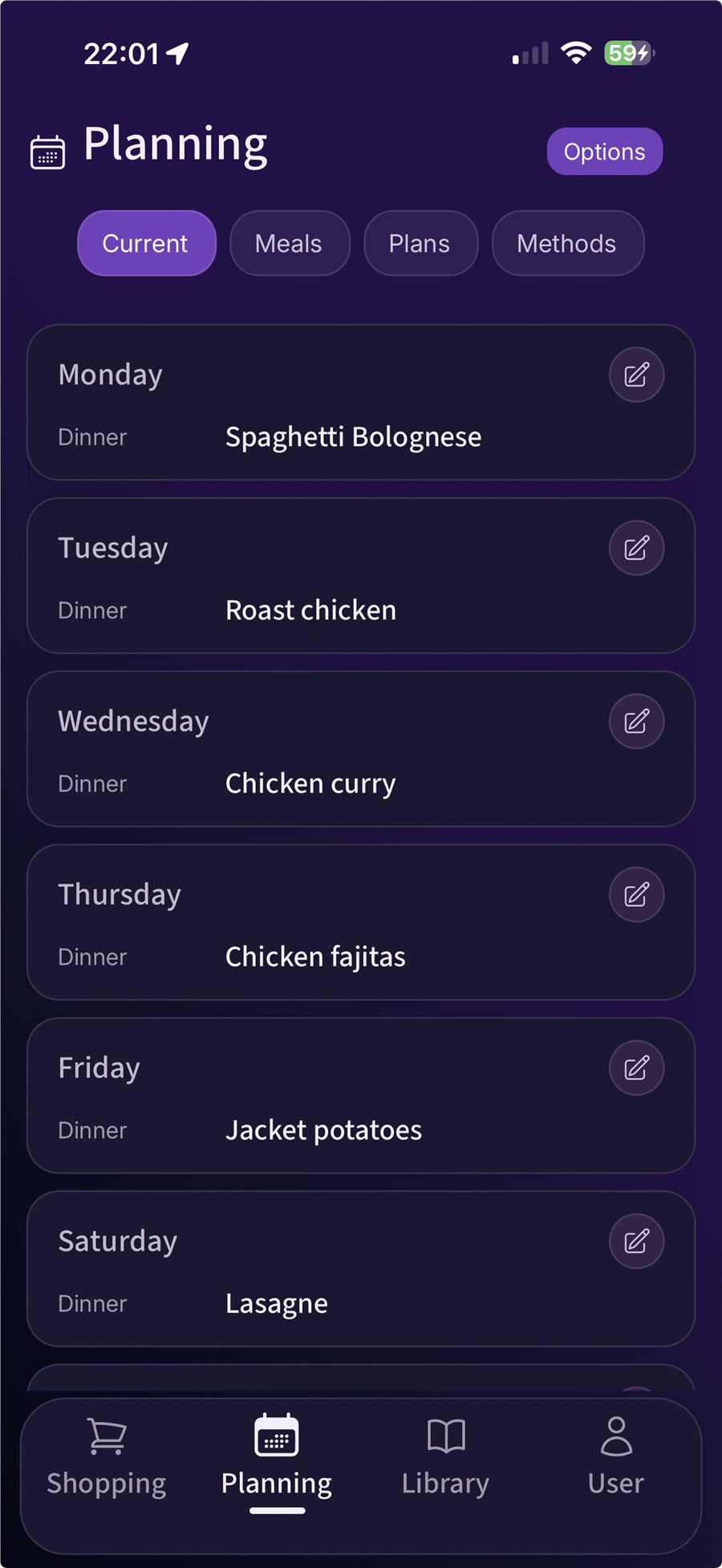
Fameally lets you save meals, place them in a weekly plan, and turn their ingredients into shopping lists. You can also keep regular household items alongside the food shop and reuse a week that worked instead of starting again.
Shared access is part of the Family plan: the owner can invite up to five people by email to share meals, plans, and shopping lists, and everyone can update the shared list. See the current Fameally plans and UK pricing before choosing. If one person does all the planning and shopping, a smaller plan may be enough; Family is for households that want to keep the work in sync.
Try it for one ordinary week
The best test is the next real food shop. Use meals you already make, include one busy evening, and invite the person who normally cooks or shops with you. By the end of the week, you should be able to tell whether the app helped both people, rather than just giving one person another place to type.
Plan together
Pick five dinners, two flexible evenings, and the nights that need quick food.
Shop from one list
Add meal ingredients and regular household items, then let the shopper update the same list.
Review the changes
Notice what moved, what was forgotten, and whether anyone had to ask for the plan.
If next week's plan is easier because meals and useful choices are already saved, the routine is doing its job. For help choosing between planning tools, see our comparison of meal planning apps for UK families.
FAQ
- What should a shared meal planning app do?
- It should let the people involved see the same weekly plan and keep the shopping list current. Saved meals, ingredients, and a way to change plans can make the next week quicker to organise.
- How many meals should we plan in advance?
- Start with five dinners and leave two evenings flexible. Plan fewer if your schedules change often; the useful number is the one your household can actually follow.
- Does everyone need to help choose dinners?
- No. A quick conversation about preferences and busy nights can be enough. Anyone cooking or shopping should be able to see the agreed plan and update the shared list when something changes.
- Is shared access included in every Fameally plan?
- Shared household access is a Family plan feature. The owner can invite up to five people by email. Check the current plan details to see which option fits your household.
Related Fameally links
Use these guides when you want to go deeper on the app or the weekly shop.
Try the next shared week in Fameally.
Download the app, save your regular meals, and build the next food shop from the plan. Choose Family if your household wants shared access.